How to extract website links with SheetSteps AI
Collect hrefs, anchor text and link types from public pages, then normalize and deduplicate them for research or SEO review.
 Written by JosephinePublished July 27, 2026Last updated July 28, 202612 min
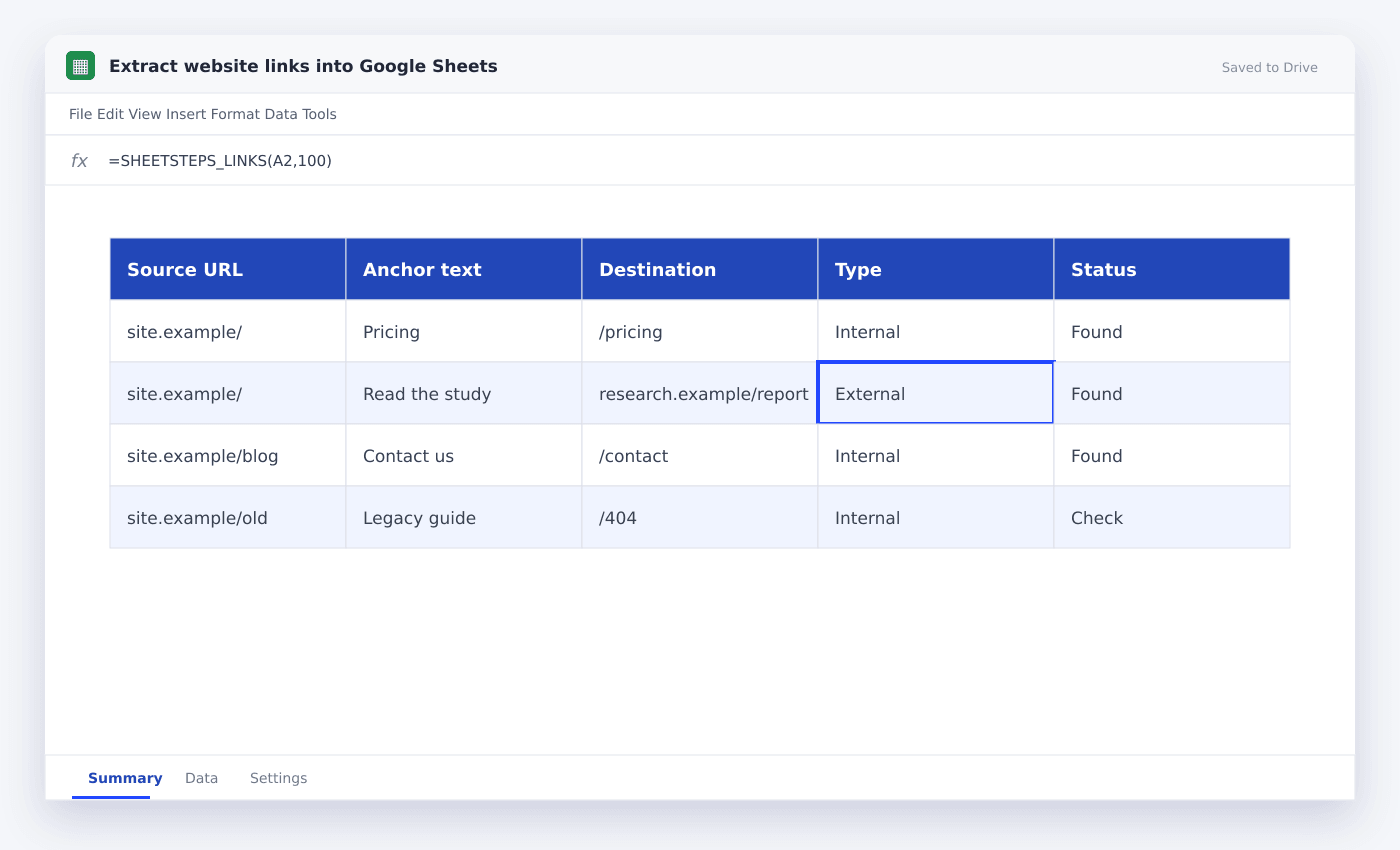
Extract each link as a organized record containing source URL, href, anchor text and link type. Resolve relative paths against the final page URL, remove fragments when appropriate and deduplicate only after preserving the source page relationship.
The useful version of this workflow is not a fragile formula that appears to work once. It is a repeatable process with explicit inputs, a known output schema and a visible status for every URL.
This guide shows how to turn webpage links into a clean spreadsheet table. It uses the actual SheetSteps AI flow: preview first, hosted extraction, a queued batch when the range is large, and confirmed write-back into Google Sheets.
WHEN NEEDED
How to extract website links with SheetSteps AI
- 01Choose the source pages
Use a focused URL set and preserve the source URL on every extracted link row.
- 02Extract organized link fields
Request href, visible anchor text, rel attribute and link type.
- 03Normalize destinations
Resolve relative URLs, remove obvious tracking parameters and keep the original href for audit.
- 04Inspect the preview
Check the proposed columns, sample entries, extraction mode and destination before starting the job.
- 05Run and monitor the job
Use the Jobs view to follow progress, pause or cancel the run, and inspect row-level failures.
- 06Confirm write-back
Review the destination range and approve the write. Existing populated cells are not silently overwritten.
Use one row per source-to-destination relationship
The same destination can appear on many pages and with different anchor text. Keep source URL, destination and anchor together before deduplicating.
SheetSteps LINKS can return page links for focused checks, while a organized batch can expand links from many source pages into a normalized table.
Normalize without destroying useful evidence
Resolve /pricing against the final source domain and standardize obvious trailing-slash or fragment variations. Preserve the raw href in a separate column when auditing implementation.
Classify links as internal, external, mail, telephone or unsupported before status checking.
Keep extraction and crawling separate
Extracting links from supplied pages is different from crawling an entire website. The current core workflow operates on controlled URL ranges and does not promise an unrestricted site crawler.
For a larger URL set, preview sample pages, run the hosted queue and retry only failed sources.
- Source URL
- Raw href
- Resolved destination
- Anchor text
- rel attribute
- Internal/external type
Questions people ask
Can Google Sheets extract all links from a page?+
IMPORTXML can extract href attributes from simple static HTML. SheetSteps also provides a LINKS function and organized batch extraction.
Why keep the source URL?+
A destination alone does not show where the link was found or which page needs editing.
Does this crawl an entire website automatically?+
No. The core workflow extracts from controlled URL ranges; it is not an unrestricted unattended crawler.
More from SheetSteps

How to scrape a website into Google Sheets
12 min · Web Scraping
How to use IMPORTXML in Google Sheets
10 min · Web Scraping

IMPORTHTML in Google Sheets: import tables and lists from a page
8 min · Web Scraping