How to extract titles and meta descriptions with SheetSteps AI
Audit URL metadata in bulk with final URLs, status codes, canonical tags and clear missing-field states.
 Written by PhilisPublished July 26, 2026Last updated July 28, 202611 min
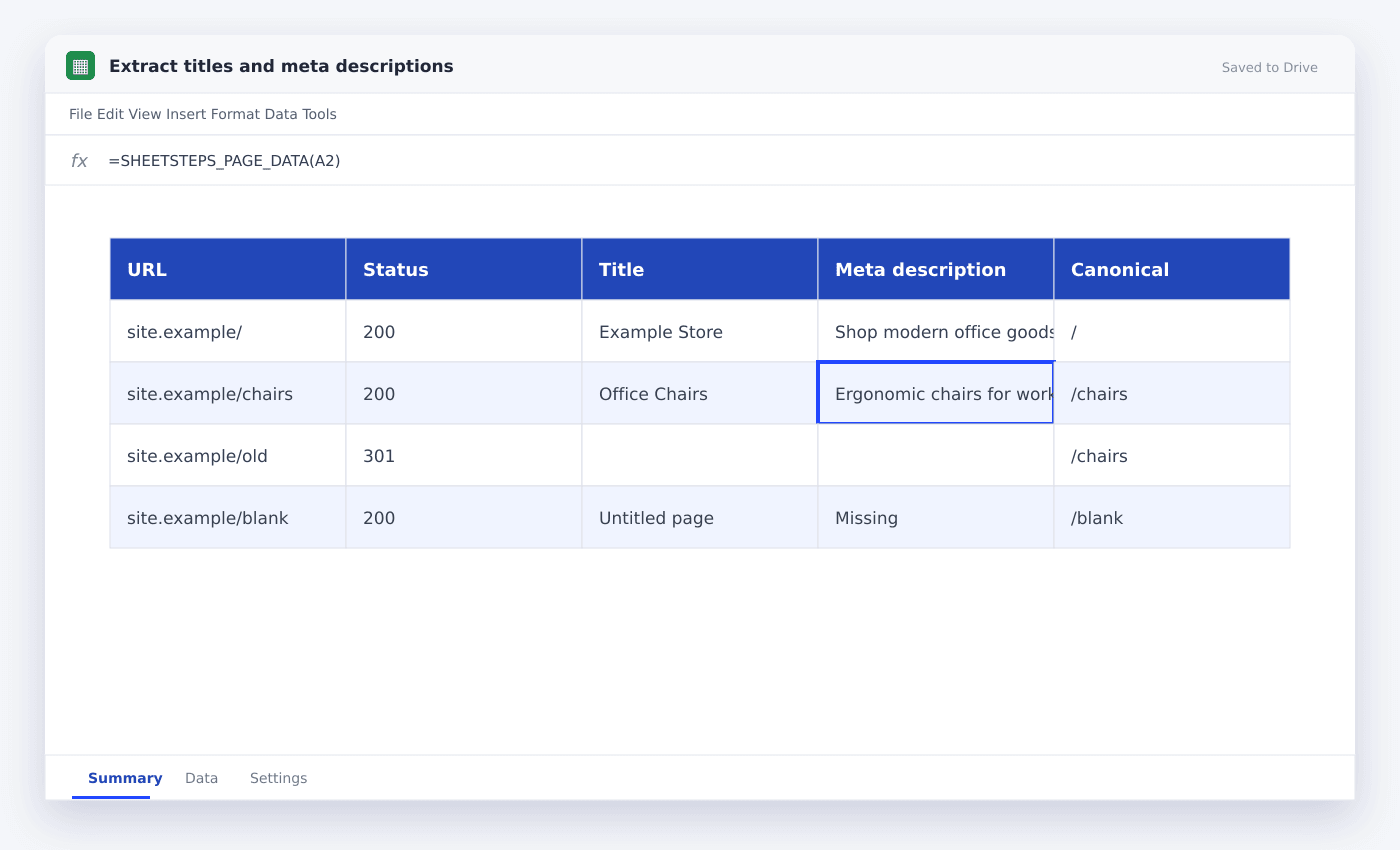
Put one URL per row and extract HTTP status, final URL, title, meta description and canonical URL into separate columns. SheetSteps provides dedicated title and description functions for small checks and organized batch extraction for larger audits.
The useful version of this workflow is not a fragile formula that appears to work once. It is a repeatable process with explicit inputs, a known output schema and a visible status for every URL.
This guide shows how to audit title tags and meta descriptions across a URL list. It uses the actual SheetSteps AI flow: preview first, hosted extraction, a queued batch when the range is large, and confirmed write-back into Google Sheets.
WHEN NEEDED
How to extract titles and meta descriptions with SheetSteps AI
- 01Prepare canonical URLs
Normalize obvious duplicates but preserve the originally submitted URL for redirect checks.
- 02Select SEO fields
Extract status, final URL, title, description, canonical and primary H1.
- 03Preview varied pages
Include a redirect, a missing description and a JavaScript-heavy page in the sample.
- 04Inspect the preview
Check the proposed columns, sample entries, extraction mode and destination before starting the job.
- 05Run and monitor the job
Use the Jobs view to follow progress, pause or cancel the run, and inspect row-level failures.
- 06Confirm write-back
Review the destination range and approve the write. Existing populated cells are not silently overwritten.
Collect enough context to diagnose metadata
A title alone cannot tell you whether the submitted URL redirected or whether the page declares another canonical. Keep status, final URL and canonical beside the metadata.
SheetSteps functions include TITLE, DESCRIPTION, H1, HEADINGS, LINKS, SCHEMA and STATUS for focused checks. Use organized extraction when you need several fields together.
Use source HTML first and rendering only when necessary
Most title and meta tags are available in the initial HTML, so a fast static fetch is usually enough. Browser rendering is slower and should be a fallback rather than the default.
The job output should record which engine completed the page so unusual results can be reviewed.
Turn the extraction into an SEO review queue
Add checks for missing, duplicate, too-short or too-long metadata after extraction. Keep those rules separate from raw fetched entries.
Filter the final sheet by issue and priority. The scraper gathers evidence; the review columns decide what deserves an edit.
- Submitted URL
- HTTP status
- Final URL
- Title
- Meta description
- Canonical
- Primary H1
Questions people ask
Can SheetSteps extract titles from many URLs?+
Yes. Use dedicated functions for small checks or preview and run a queued organized extraction for a URL range.
Should a redirected URL keep its old title?+
Record the submitted URL, status and final URL. Evaluate metadata on the final page rather than treating the redirect response as a normal document.
Can JavaScript edit a page title?+
Yes. When the initial source and rendered page differ, a browser-rendered fallback may be needed.
More from SheetSteps

How to scrape a website into Google Sheets
12 min · Web Scraping

How to use IMPORTXML in Google Sheets
10 min · Web Scraping

IMPORTHTML in Google Sheets: import tables and lists from a page
8 min · Web Scraping