SheetSteps AI vs Apps Script for Google Sheets web scraping
Fetch public pages safely, parse small static responses and understand when a hosted queue is the better architecture.
 Written by JosephinePublished July 23, 2026Last updated July 28, 202612 min
Apps Script can fetch small public pages with UrlFetchApp, but you must validate URLs, set timeouts, parse defensively and avoid large synchronous loops. For many URLs or JavaScript-rendered pages, move fetching into a protected backend queue and write results back in controlled batches.
The useful version of this workflow is not a fragile formula that appears to work once. It is a repeatable process with explicit inputs, a known output schema and a visible status for every URL.
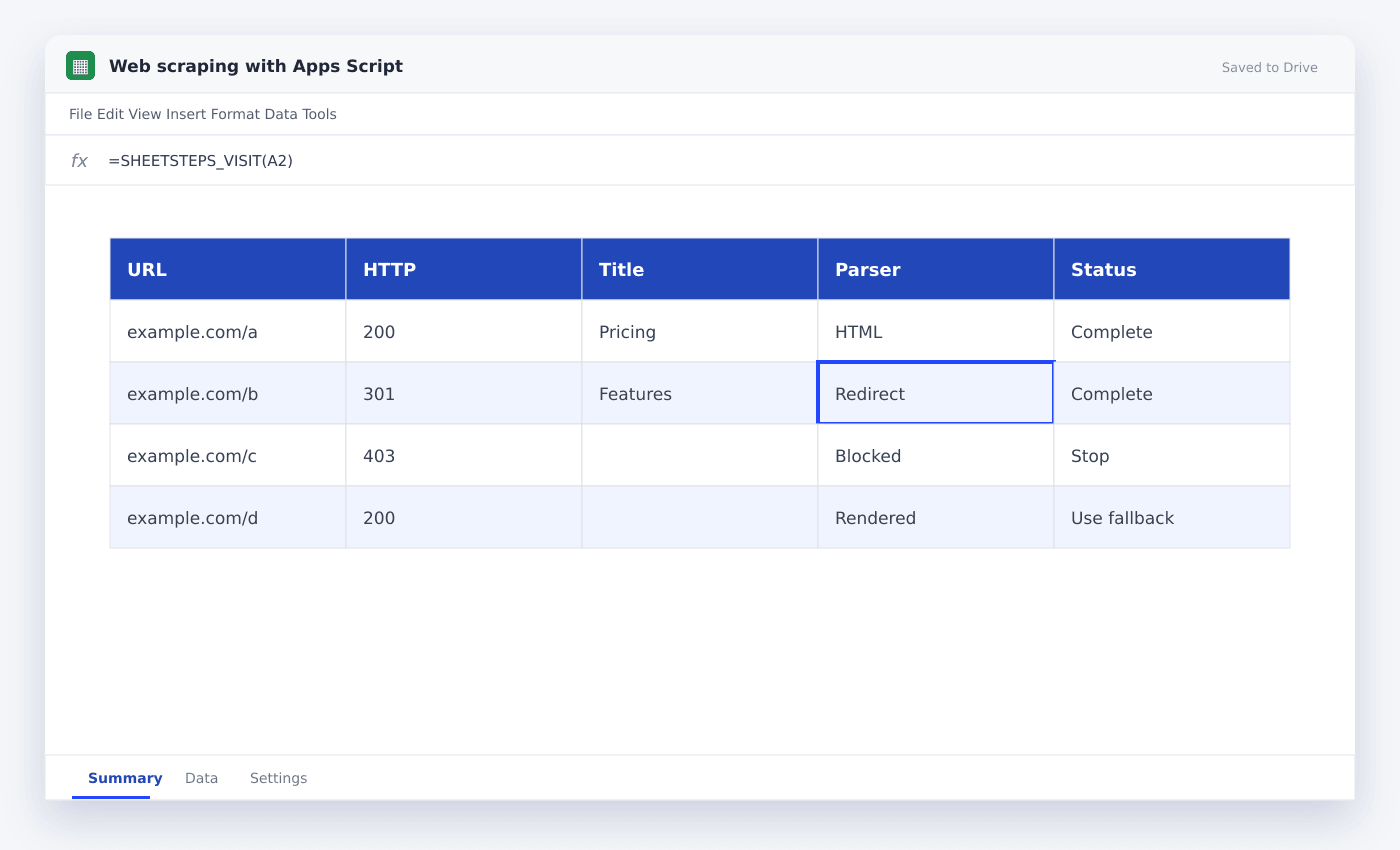
This guide shows how to build a small public-page scraper with Apps Script. It uses the actual SheetSteps AI flow: preview first, hosted extraction, a queued batch when the range is large, and confirmed write-back into Google Sheets.
WHEN NEEDED
SheetSteps AI vs Apps Script for Google Sheets web scraping
- 01Validate the URL
Accept only public HTTP or HTTPS targets and reject private or internal network destinations.
- 02Fetch one page
Set muteHttpExceptions so the script can record non-200 status codes explicitly.
- 03Parse a narrow field
Extract one stable field and return a organized object instead of an unbounded page dump.
- 04Inspect the preview
Check the proposed columns, sample entries, extraction mode and destination before starting the job.
- 05Run and monitor the job
Use the Jobs view to follow progress, pause or cancel the run, and inspect row-level failures.
- 06Confirm write-back
Review the destination range and approve the write. Existing populated cells are not silently overwritten.
Use Apps Script for small static tasks
Apps Script works for a handful of public pages with predictable HTML. Keep each fetch small and record HTTP status, final URL and parse outcome.
Avoid custom functions that refetch every time the spreadsheet recalculates. Use a menu or sidebar action when the user should control execution.
Treat every spreadsheet URL as untrusted input
A scraper must block localhost, private IP ranges, cloud metadata endpoints, non-HTTP protocols and unsafe redirects. Redirect targets require the same validation as the original URL.
SheetSteps performs these checks in hosted scraping infrastructure rather than trusting a cell entry directly.
Move large work into a backend queue
Apps Script execution limits make it unsuitable for large or slow batches. A backend queue can use bounded concurrency, caching, row idempotency and controlled retries.
SheetSteps shows a preview before job creation and keeps progress, pause, cancellation and retry controls in the sidebar.
- Small static task → Apps Script
- Many URLs → queued job
- Rendered page → browser fallback
- Sensitive or private URL → block
Questions people ask
Can Apps Script scrape JavaScript-rendered pages?+
UrlFetchApp does not run a browser. It usually sees only the initial HTML response.
Why should I avoid scraping in a custom function?+
Spreadsheet recalculation can trigger repeated requests, slow the file and make execution unpredictable.
What is SSRF protection?+
It prevents user-supplied URLs from making the server request internal systems, metadata services or unsafe network targets.
More from SheetSteps

How to scrape a website into Google Sheets
12 min · Web Scraping

How to use IMPORTXML in Google Sheets
10 min · Web Scraping

IMPORTHTML in Google Sheets: import tables and lists from a page
8 min · Web Scraping