How to merge cells in Google Sheets—and when not to
Merge titles and presentation blocks safely while keeping tables sortable, filterable and formula-friendly.
 Written by PhilisPublished July 22, 2026Last updated July 27, 20265 min
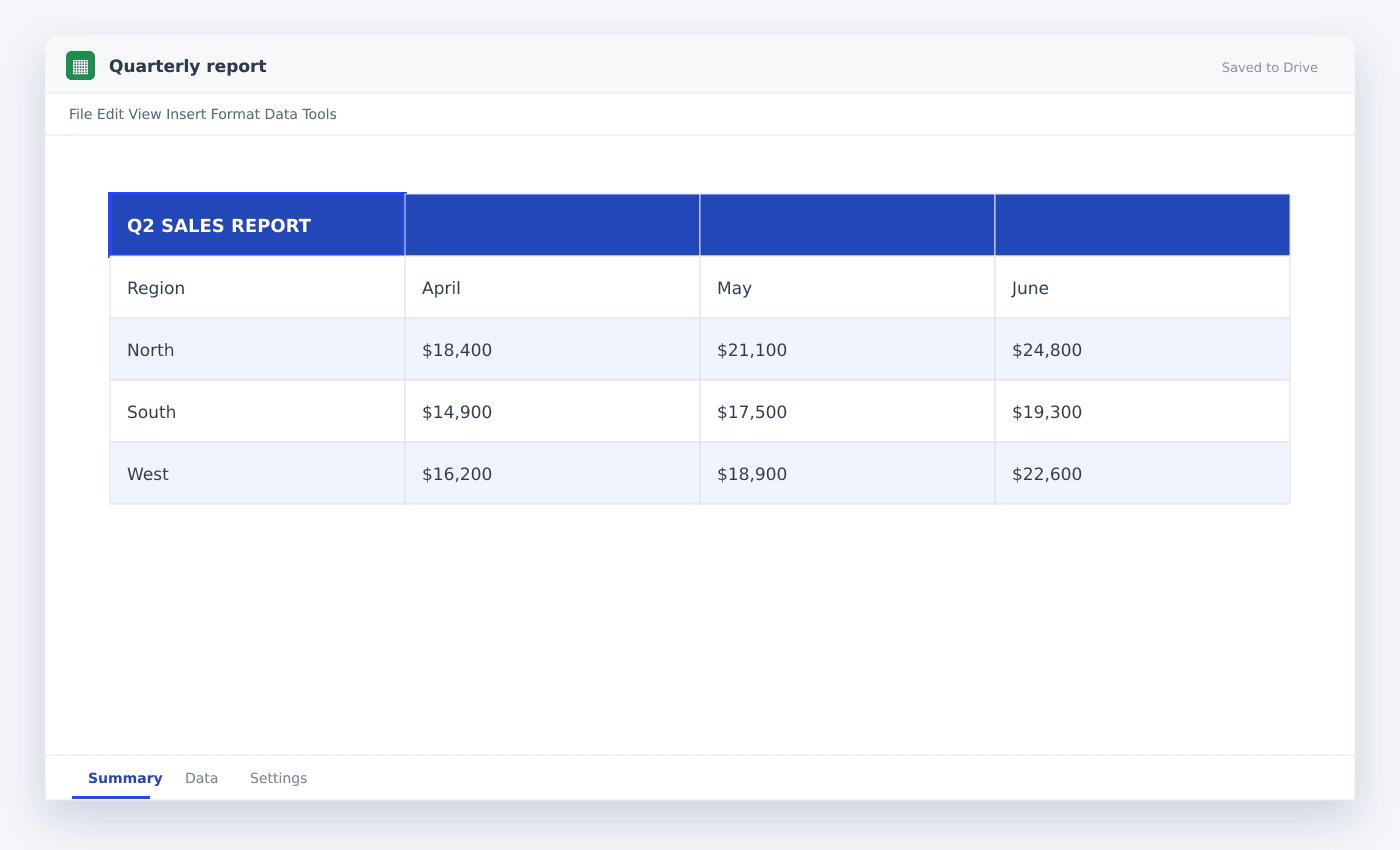
Select adjacent cells, click Merge cells in the toolbar or choose Format → Merge cells, then choose Merge all, horizontally or vertically. Only the upper-left entry is preserved, so never merge cells that contain separate data.
Merged cells can make a title span a report, but inside a data table they create structural problems. Filters, pasted ranges and formulas expect every row and column to remain rectangular.
Use merging for presentation areas above or beside the data. Use alignment and spacing inside the table itself.
How to merge cells in Google Sheets—and when not to
- 01Select adjacent cells
Choose one rectangular range. Non-adjacent cells cannot be merged together.
- 02Check the entries
Move or remove content from every cell except the upper-left cell.
- 03Choose Merge cells
Use the toolbar icon or Format → Merge cells.
- 04Select the merge direction
Merge all creates one cell; horizontally creates one merged cell per selected row.
- 05Align the result
Set horizontal and vertical alignment for a clean title block.
- 06Unmerge when needed
Select the merged area and choose Unmerge. The original extra entries will not return.
Safe places to merge
Report titles, cover sheets, print headers and explanatory callouts are good candidates. These areas do not participate in sorting or row-level calculations.
Keep the merged range away from frozen table headers and filter rows.
Never merge inside source data
Merged cells can prevent a range from sorting and make copied data land in the wrong layout. They also obscure whether a blank entry belongs to the row above or should be repeated.
If you want a label to appear centered across columns, use a separate title row or place the title in a wider column.
Know what happens to existing entries
When several populated cells are merged, Sheets keeps only the upper-left entry. A warning usually appears, but the discarded entries are not placed elsewhere.
Copy the content first if there is any chance you will need it.
Questions people ask
Why can’t I sort a range with merged cells?+
Sorting requires every row to share the same rectangular layout. Unmerge the cells inside the data before sorting.
Can I merge cells with a formula?+
A formula can live in the upper-left cell of a merged range, but merging is formatting and cannot be created by a normal cell formula.
How do I unmerge?+
Select the merged cell and click the merge toolbar button again, or choose Format → Merge cells → Unmerge.
More from SheetSteps

How to create a table in Google Sheets
7 min · Getting started

How to wrap text in Google Sheets
5 min · Getting started

How to sort in Google Sheets without scrambling rows
6 min · Getting started