How to wrap text in Google Sheets
Keep long comments, descriptions and headers visible without making the entire spreadsheet awkward to scan.
 Written by JosephinePublished July 21, 2026Last updated July 27, 20265 min
Select the cells, choose Format → Wrapping → Wrap, then resize the column and row to a readable width and height. Use Clip for dense data tables and Overflow only when neighboring cells are empty.
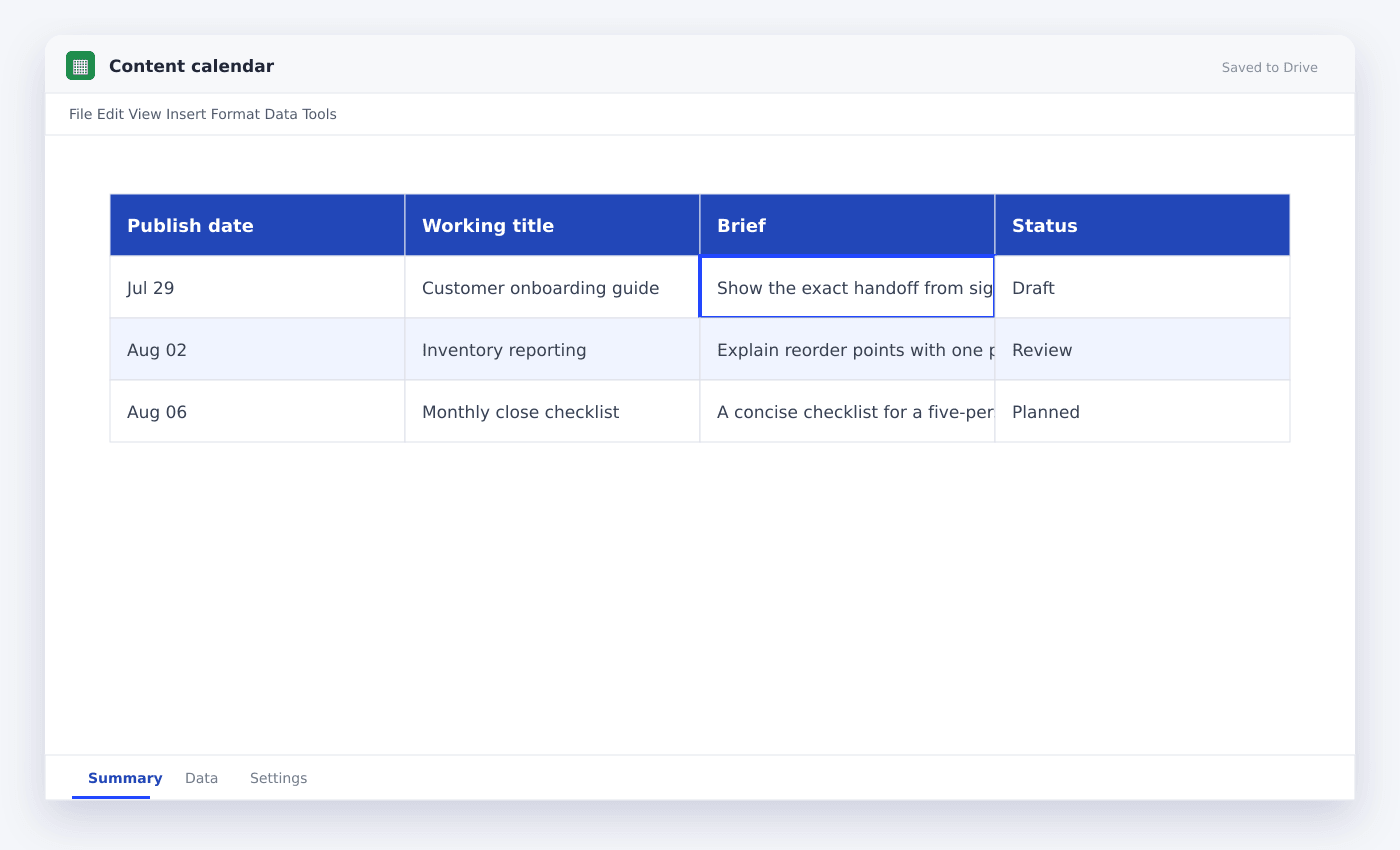
Text wrapping is a layout decision, not a fix for columns that are simply too narrow. Start by giving the column enough width for the kind of content it holds. Then wrap only the fields that genuinely need multiple lines.
Descriptions and comments often benefit from wrapping. IDs, dates, amounts and statuses usually do not.
How to wrap text in Google Sheets
- 01Select the text cells
Choose the specific note, description or header columns rather than the entire sheet.
- 02Open wrapping
Choose Format → Wrapping or use the toolbar wrapping icon.
- 03Choose Wrap
Text moves onto additional lines inside the same cell.
- 04Set a sensible width
Widen the column before accepting a very tall row.
- 05Resize rows
Double-click the row boundary to fit the wrapped content automatically.
- 06Align to the top
Top alignment makes multi-line rows easier to scan across columns.
Wrap, overflow or clip
Wrap increases row height to display all text. Overflow lets text spill into empty cells. Clip hides content beyond the cell boundary while preserving the full entry.
For operational tables, Clip keeps rows compact. For comments and briefs, Wrap is usually more useful.
Fix text that still looks cut off
A manually fixed row height can prevent wrapped text from expanding. Right-click the row, choose Resize row and select Fit to data.
Merged cells can also produce inconsistent automatic row heights. Unmerge the note area or set the height manually.
Use wrapping for clear headers
A two-line header is often better than an extremely wide column. Keep labels short and use a line break only when it makes scanning easier.
Freeze the header row so the wrapped labels remain visible while you scroll.
Questions people ask
What is the shortcut for wrap text?+
There is no universal one-button shortcut. Use the toolbar wrapping icon or Format → Wrapping → Wrap.
Why does wrapped text not show completely?+
The row height is likely fixed. Resize the row to Fit to data, or increase it manually.
Can I add a manual line break?+
Yes. While editing a cell, use Alt+Enter on Windows or Option+Enter on Mac.
More from SheetSteps

How to create a table in Google Sheets
7 min · Getting started

How to merge cells in Google Sheets—and when not to
5 min · Getting started
How to sort in Google Sheets without scrambling rows
6 min · Getting started