How to subtract in Google Sheets
Subtract cells, dates and fixed amounts with formulas that copy correctly.
 Written by PhilisPublished June 19, 2026Last updated July 27, 20269 min
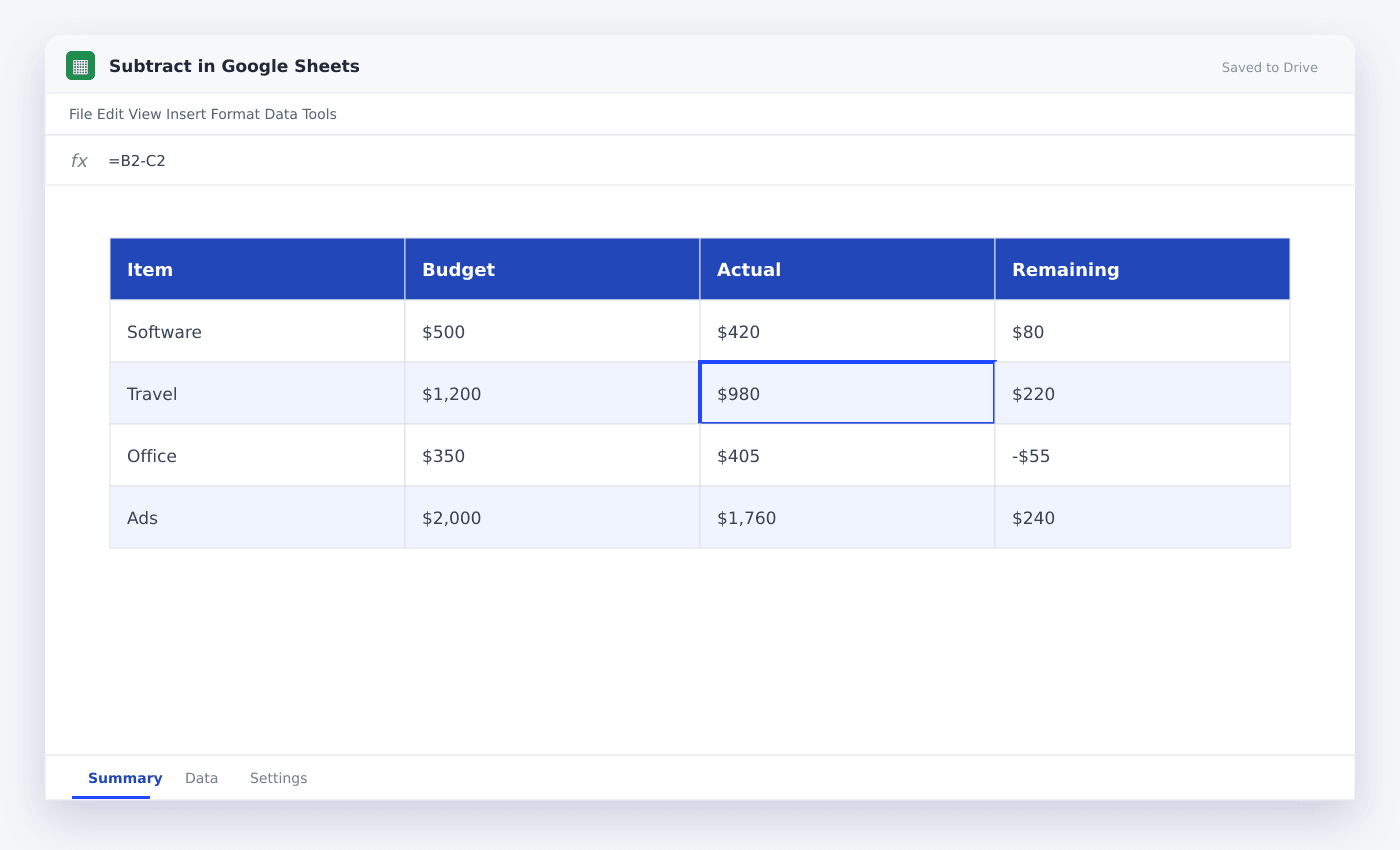
Use =B2-C2 to subtract one cell from another. For a fixed amount, lock its cell with dollar signs before filling the formula down.
Before you subtract numbers and dates correctly, set up a clean source range and one result you can check by hand. That gives you a known answer before the sheet grows.
This article shows how to subtract numbers and dates correctly. The sample sheet uses ordinary rows so you can copy the method into an existing file without rebuilding everything.
How to subtract in Google Sheets
- 01Make a safe copy
Duplicate the source tab or file before changing formulas, ranges or formatting.
- 02Set up the source rows
Add the fields needed to subtract numbers and dates correctly. Keep one record on each row and one field in each column.
- 03Add the method
Enter =B2-C2 in a test cell and check its first result.
- 04Check a known case
Pick one row whose answer you already know and compare it with the sheet result.
- 05Test the awkward rows
Check blanks, zeros, repeated entries and one row that should not match.
- 06Apply it to the full range
Copy the formula or rule only after the sample cases return the expected result.
Set up the sheet for Subtract in Google Sheets
Keep the source table rectangular. A single header row, no merged cells and consistent cell types make the work much easier to check.
Place settings, fixed rates or allowed labels on a separate tab. Name them clearly so another person can read the file without tracing every cell.
- Put the starting amount first
- Lock any fixed deduction
- Format date differences as numbers
- Check negative results
Check the first result before copying it
A result that looks plausible can still be wrong. Work through one row manually, compare it with the Sheet and check every referenced cell.
Next, test a blank row and an unusual row. These two checks catch many range, type and copied-reference mistakes before they spread.
=B2-C2Keep the file reliable as new rows arrive
Leave input columns visually separate from calculated columns. Protect formulas when several people edit the same file, and keep dropdown lists or settings outside the main table.
Add a short check near the result: row count, unmatched count, last refresh time or a manual spot check. The right check depends on the job, but it should make a bad update easy to notice.
Questions people ask
Is there a SUBTRACT function in Google Sheets?+
No. Use the minus operator, for example =B2-C2.
How do I subtract the same number from many cells?+
Put the fixed number in one cell, use an absolute reference to it and fill the formula down.
Can I subtract dates?+
Yes. Subtract the earlier date from the later date to get the number of days between them.
More from SheetSteps

Google Sheets formula not working? Check these seven things
10 min · Formulas

How to use VLOOKUP in Google Sheets
9 min · Formulas

How to use SUMIF in Google Sheets
8 min · Formulas