How to use SUMIF in Google Sheets
Add entries that match one condition, understand criteria syntax and graduate to SUMIFS when the question has more than one rule.
 Written by JosephinePublished July 19, 2026Last updated July 27, 20268 min
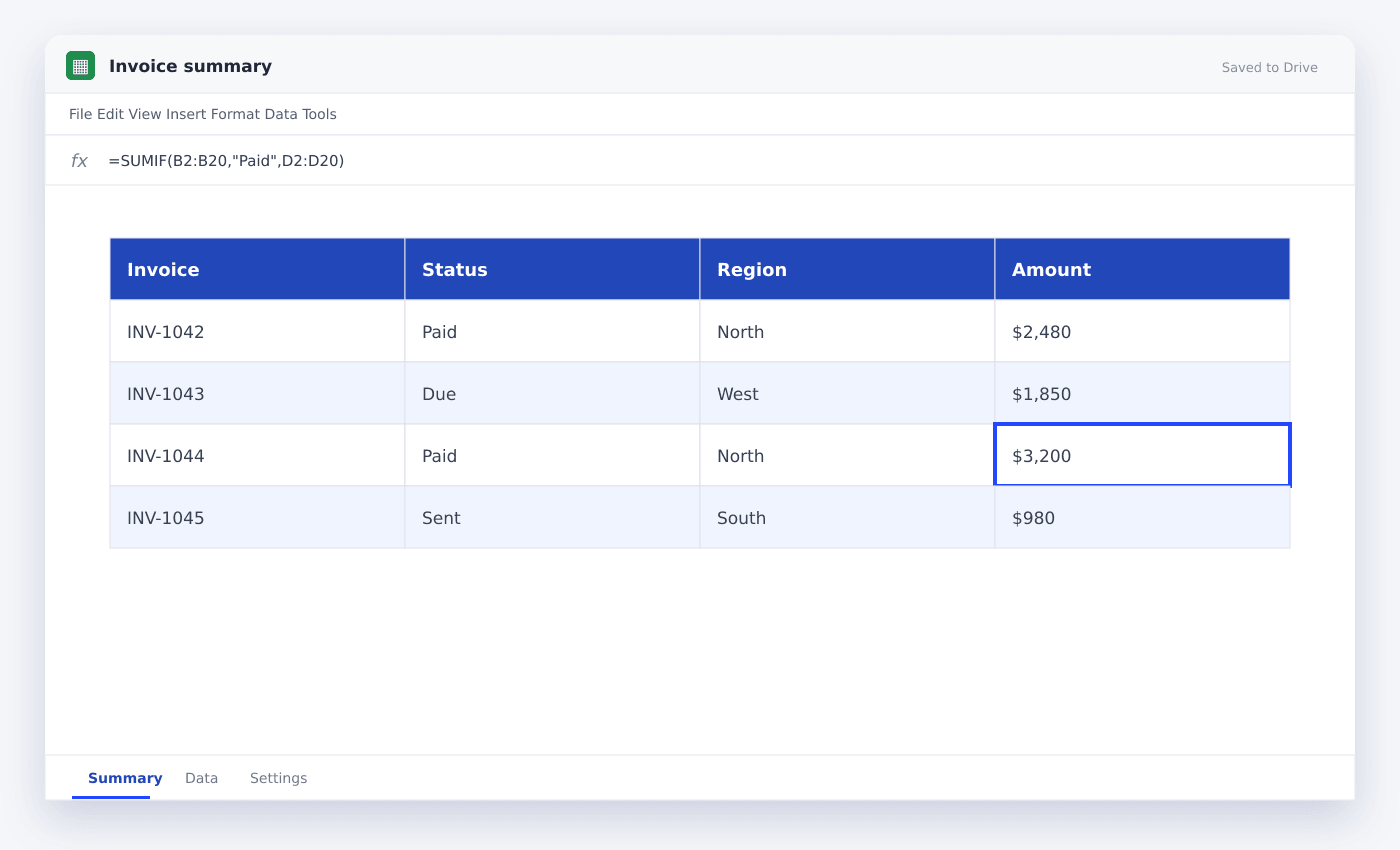
Use =SUMIF(range, criterion, sum_range). The range contains the entries to test, criterion states what must match, and sum_range contains the numbers to add.
SUMIF answers questions for example “How much revenue came from North?” or “What is the total for paid invoices?” without filtering the table manually.
The tested range and sum range must cover the same rows. That alignment is more necessary than the columns being next to each other.
How to use SUMIF in Google Sheets
- 01Identify the condition column
Choose the range containing statuses, categories, owners or another field to test.
- 02Write the criterion
Use a text entry in quotes or reference a cell containing the entry.
- 03Select the amount column
The sum range must start and end on the same rows as the condition range.
- 04Test one known example
Filter the data manually once and compare the visible total with the formula.
- 05Reference input cells
Use a summary label for example A5 as the criterion so the formula can fill down.
- 06Use SUMIFS for more rules
Switch when you need category plus month, status plus owner, or any other combination.
SUMIF syntax
In this example, column A is tested for Paid and the matching entries from column B are added.
Text criteria needs quotation marks when typed directly. A referenced criterion cell does not.
=SUMIF(A2:A100,"Paid",B2:B100)Use comparisons and wildcards
Criteria can include operators for example greater than and not equal. Join an operator to a cell reference with an ampersand.
An asterisk matches any sequence of characters. Use it carefully because partial matches can include more rows than expected.
=SUMIF(B2:B100,">="&E2,C2:C100)Add several conditions with SUMIFS
SUMIFS places the sum range first, followed by pairs of criteria range and criterion. Every range must have the same layout.
Date ranges usually need a lower boundary and an exclusive upper boundary, for example greater than or equal to month start and less than next month.
=SUMIFS(C2:C100,A2:A100,"Paid",B2:B100,"North")Questions people ask
What is the difference between SUMIF and SUMIFS?+
SUMIF handles one condition. SUMIFS handles several conditions and places the sum range first.
Why does SUMIF return zero?+
Check that amounts are numeric, criteria match exactly and the tested and summed ranges cover the same rows.
Can SUMIF use dates?+
Yes. Use date cells or DATE entries with comparison operators instead of locale-dependent text dates.
More from SheetSteps

Google Sheets budget template: a practical monthly system
10 min · Templates

Google Sheets invoice template: build one that tracks payment
9 min · Templates

Google Sheets formula not working? Check these seven things
10 min · Formulas